
Industry
Healthcare Insurance & Employee Benefits
The Challenge
The client, a major national healthcare and dental insurance provider, needed a unified reporting and analytics solution to improve operational visibility. The specific requirements included:
- Developing interactive dashboards in Power BI / Power View.
- Integrating dashboards into a SharePoint portal for centralized access.
- Enabling scheduled report refreshes at defined intervals.
- Providing business users with role-specific reporting and secure authentication.
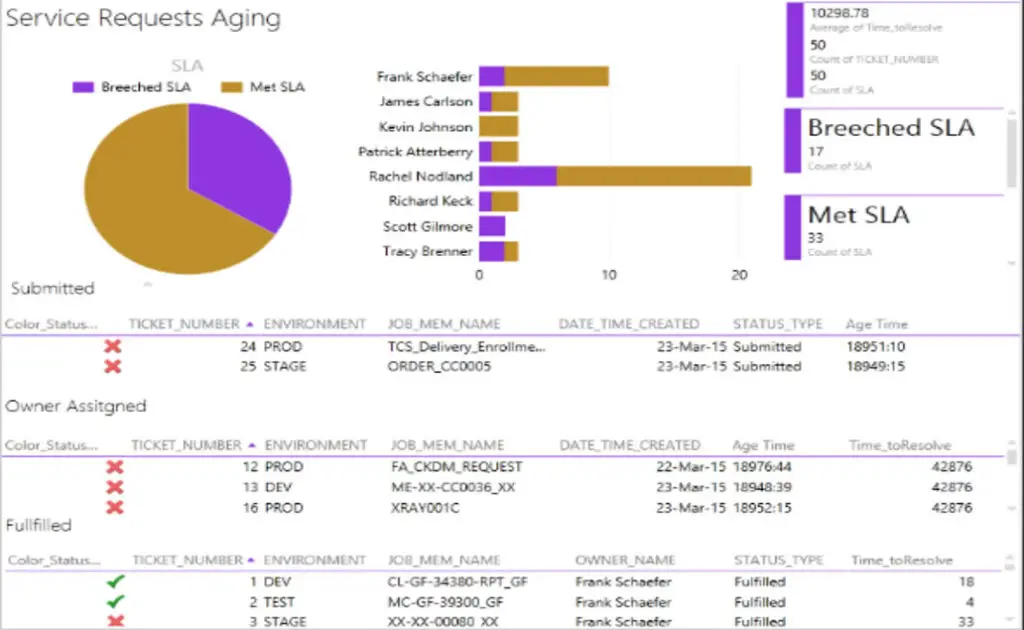
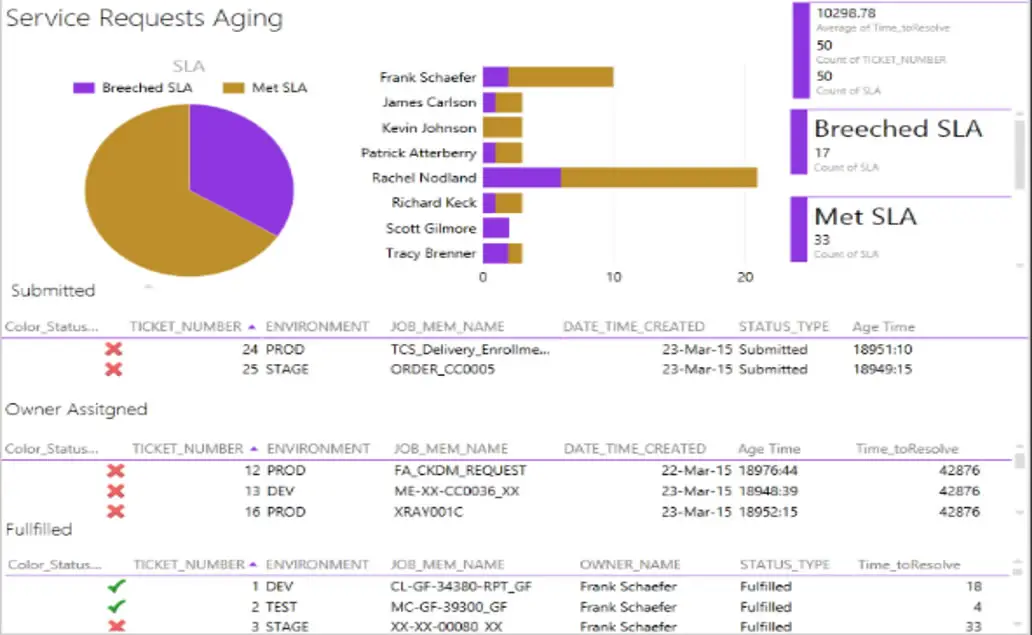
- Tracking and analyzing ticket resolution times, success rates, and failure trends for service request management.
Solution
A comprehensive BI and reporting framework was designed and implemented to streamline data access and operational insights. Key components included:
- Power BI Integration with SharePoint
- Architected and developed dashboards in Power BI / Power View, embedding them into SharePoint via web parts.
- Configured different authentication levels to ensure user-specific access.
- Operational & Service Request Analytics
- Designed dashboards to track ticket submissions, pending items, closed requests, and resolution timeframes.
- Implemented success vs. failure rate tracking for service tickets.
- Automated Refresh & Scheduling
- Enabled scheduled report refreshes to ensure up-to-date data availability.
- Ad-Hoc & Role-Based Reporting
- Created business-user-specific dashboards tailored to operational needs.
- Provided ad-hoc reporting capabilities for deeper analysis.
Business Impact
- Improved Operational Efficiency: Real-time visibility into ticket resolution times helped reduce average closure time by 30%.
- Centralized Access to Insights: SharePoint integration provided a single, secure portal for all reporting needs, reducing time spent searching for information.
- Enhanced Decision-Making: Role-based dashboards empowered managers and operational teams to address service issues proactively.
- Increased Data Accuracy: Automated refresh schedules ensured that all dashboards were updated with the latest available data.
- Scalability for Future Growth: The solution allowed easy addition of new reports and dashboards without major redevelopment.
Technical Architecture
- BI & Visualization: Power BI, Power View
- Collaboration: SharePoint
- Database: SQL Server 2008